Your event. Your brand.
Doors open fast. Just bring a phone.
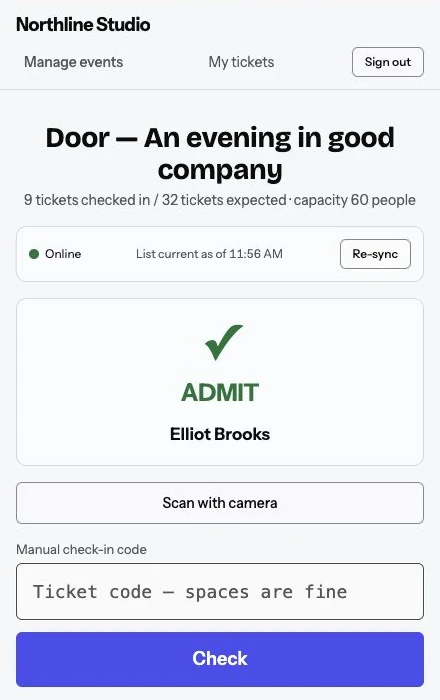
Use your phone to welcome guests. Scan a QR ticket or enter its code, with offline check-in for patchy reception.
One ticket. Two ways to check in.
- Scan the QR from the guest’s phone.
- Enter the manual code as another check-in option.
- One group ticket covers the ticket holder and their named guests.
Get your door team ready
- Assign staff to the events they’re working.
- Give each team member their own access.
- Brief staff on age and verification requirements.
Keep check-in moving, even offline
- Download the guest list to each phone before doors open.
- Each phone keeps its own offline check-ins through patchy reception.
- Reconnect and sync each phone to share check-ins across your team.
Useful answers
What do I use to scan tickets?
Use a phone camera for QR scanning or enter the ticket’s manual code.
How do I sync offline check-ins?
Each phone keeps its own offline check-ins. Sync every phone when connected to update the team’s guest list and review any conflicts.
Ready for your next event?
Choose annual or monthly billing for your Entry plan.